
We are excited to introduce innovative and easy to use audio features for live streams and broadcast!
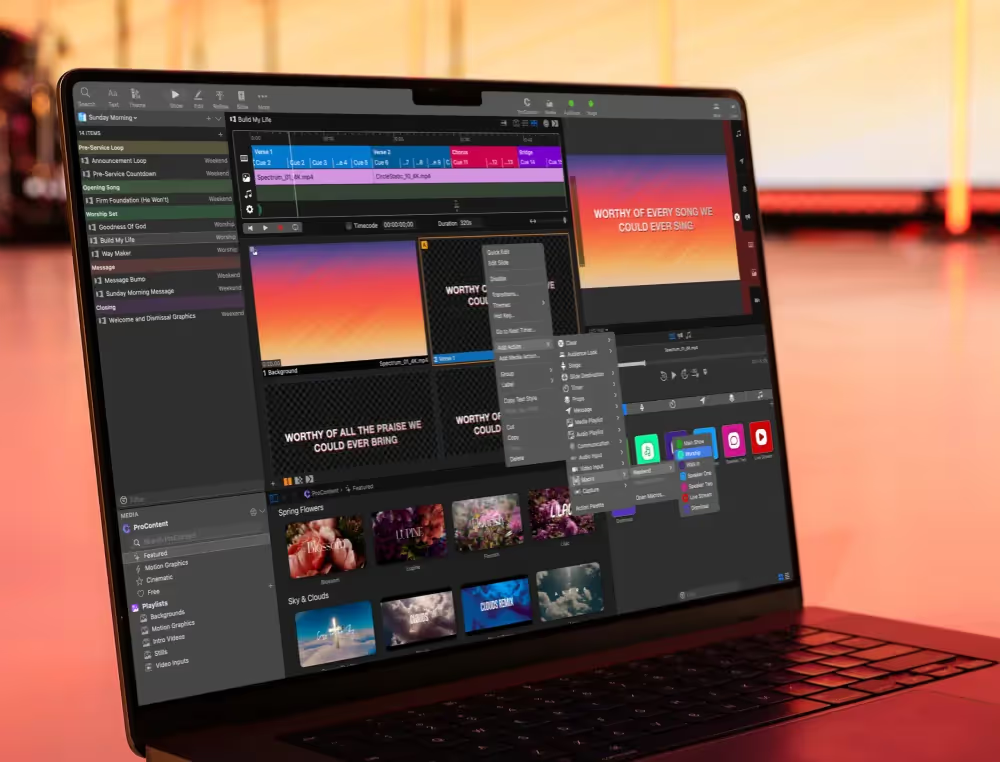
Audio is an important role in the live stream and broadcast worlds. We set out to provide the best-in-class easy solution for live stream and broadcast audio. But… the benefits don’t stop there! Not only can these new features work great in a live stream, they can also help with your in-person audiences as well!
We can’t wait to see how these new additions and improvements help make your role easier and in turn create a better experience for your audience than ever before!
Capture Audio Inputs
From Any Source

Experience Video Inputs
In a New Way

Output Audio With SDI & NDI

Performance Improvements
Not only does ProPresenter 7.2 add some incredible audio and video features, but we’ve also packed it with performance improvements!
With the addition of these audio features in ProPresenter we are excited to see all of the churches, businesses, schools, and individuals that will be able to use them to make staying connected in-person and at a distance easier and more flexible than ever.
Stay Updated with Our Newsletter
Get the latest news, updates, and exclusive offers delivered straight to your inbox.
Questions?
Browse our FAQs or our Knowledge base that we’ve made to answer your questions. Need additional help? Connect with a support team agent!
Is this a web or browser version of ProPresenter?
No. You keep using the ProPresenter desktop app. Cloud keeps your machines in sync — there's no presenting from a browser.
Does clicking a slide on one device change what's on screen somewhere else?
No. Editing on one device is completely independent from what's live on another. You can edit freely mid-service without affecting the output.
Is my show file safe?
Yes — your whole workspace is backed up and can be downloaded to any machine, any time.
Can multiple campuses share one workspace?
Cloud keeps your machines in sync today; richer multi-site and team-collaboration workflows are on the way.